Access Express 2.0
Responsive SITE & Digital Product
Role Lead ux/ui designer
Client eversana
Team WOODS CREATIVE
About
Eversana is an integrated commercial services partner for pharmaceutical companies and marketers. They provide products that supply research and insights about new to market, already on the market or coming to market products.
Access Express is one of many Eversana products which gives access to stakeholder panels by providing business-specific automated and customizable surveys for pharmaceutical marketing needs.
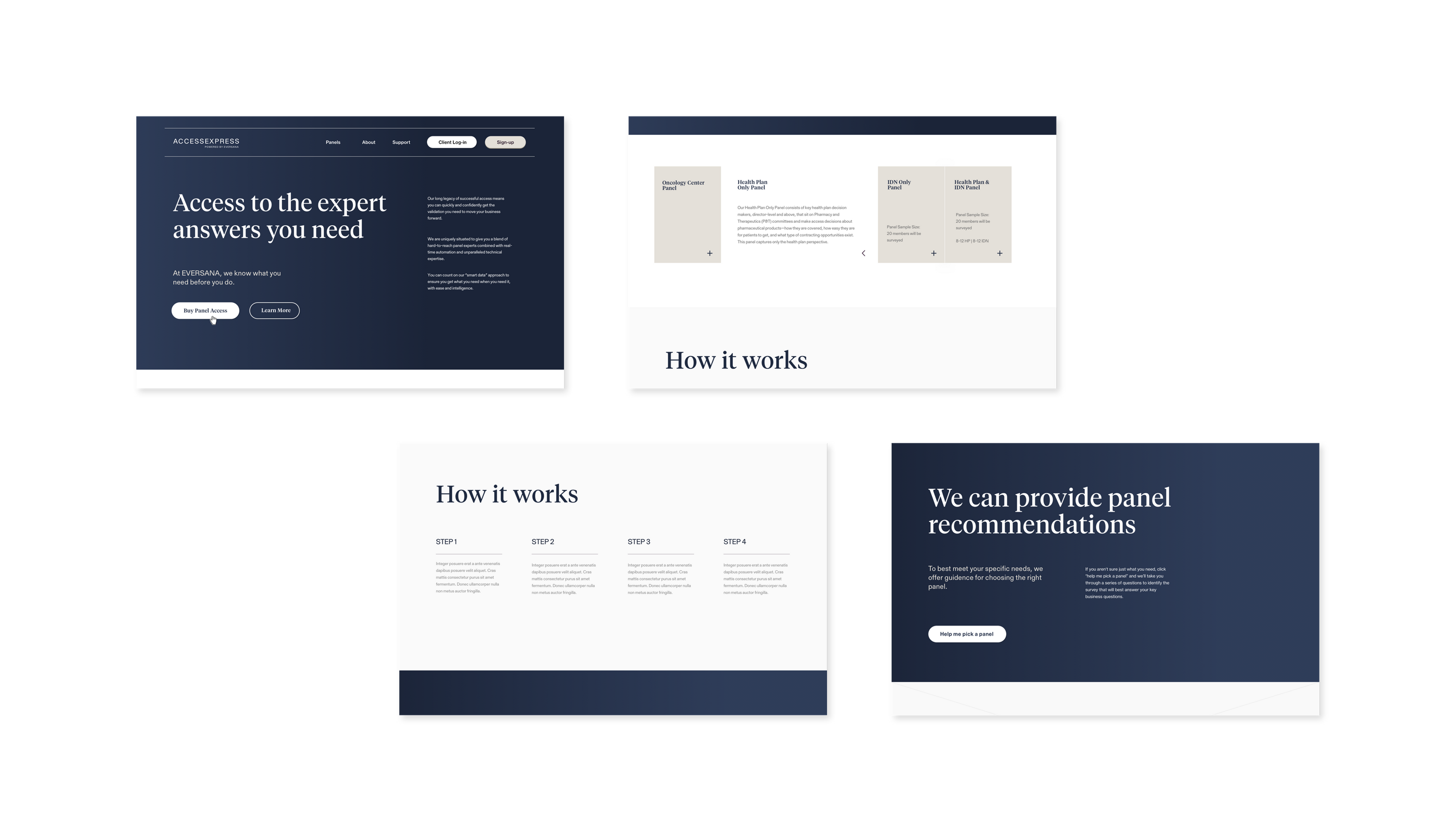
Our brief was to evaluate and re-design the Access Express survey builder tool, the report generator, and marketing website’s key engagement section, and ecommerce check out section. The client also hired us to design the new visual system to be used across all Eversana products.

Evaluation
Engagement Section
The overall goal of the engagement section was to ensue confidence in the user of the product’s ability to serve up key insights from expert stakeholder panels within the healthcare industry.
Survey Builder & Reporting
The updated product needed to shift from its current white-glove customer experience to a fully automated digital experience. The experience had to reduce the current experience’s excessive need for customer service. The original product had customers needing help from the beginning of the survey build to the end of the results collection.


Challenges & Solutions
Internal understanding about how to discuss the product as a whole was the first significant strategy hurdle. Since this was originally a ‘white glove’ product and service, there was no development of how to explain the purchase process and survey creation process to a customer. The way we discussed the product in the engagement section and purchase section would directly affect how the user interacts with the survey builder. This is because they could purchase access to more than one expert panel, but they could also pay for multiple surveys to send to any newly or previously paid for panel access.
With our goal of a fully automated experience, we had to develop an explicit way of discussing panels versus surveys versus report purchases and development.
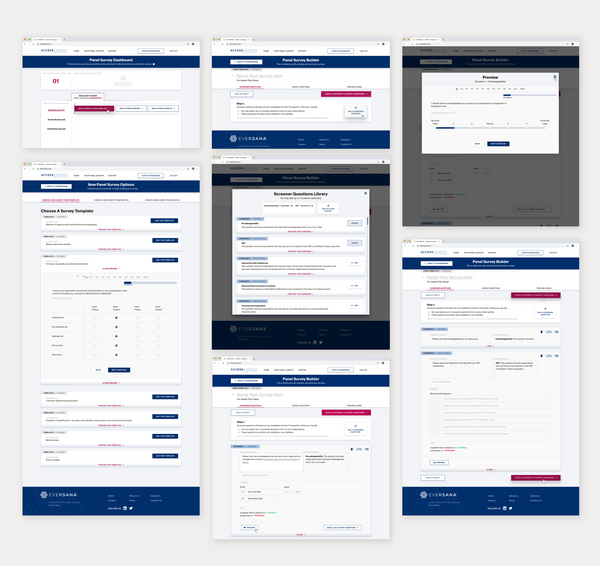
We chose to work closely with a newly appointed product manager as we determined the language of all critical processes and key terms. The results were a dashboard design that clearly labels the differences between purchase types, and it uses tooltips to help users through more complex functions. We also simplified how to create and quickly purchase new surveys that are ready-to-send versus drafts only.
We chose to work closely with a newly appointed product manager as we determined the language of all critical processes and key terms. The results were a dashboard design that clearly labels the differences between purchase types, and it uses tooltips to help users through more complex functions. We also simplified how to create and quickly purchase new surveys that are ready-to-send versus drafts only.

Another challenge was the low confidence of their current and potential customers. Research revealed that previous Access Express users had insecurities when it came to choosing question types for their needs, deciding which panels to distribute their surveys to, and understanding complex data and reports. It became clear that the engagement section had to do a better job of helping customers who were unsure of how to use market research products and the value a new, automation-foward experience can provide.
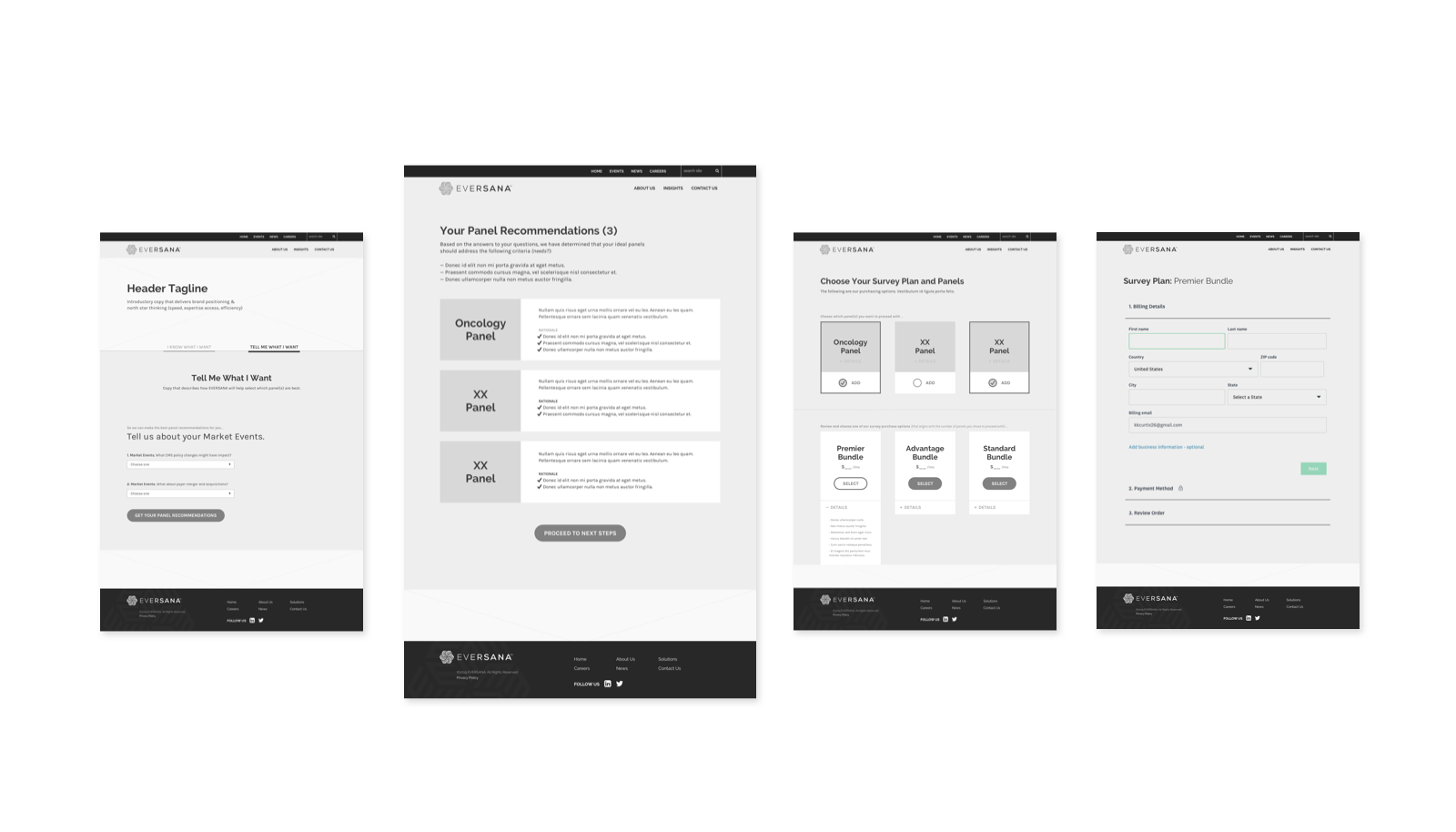
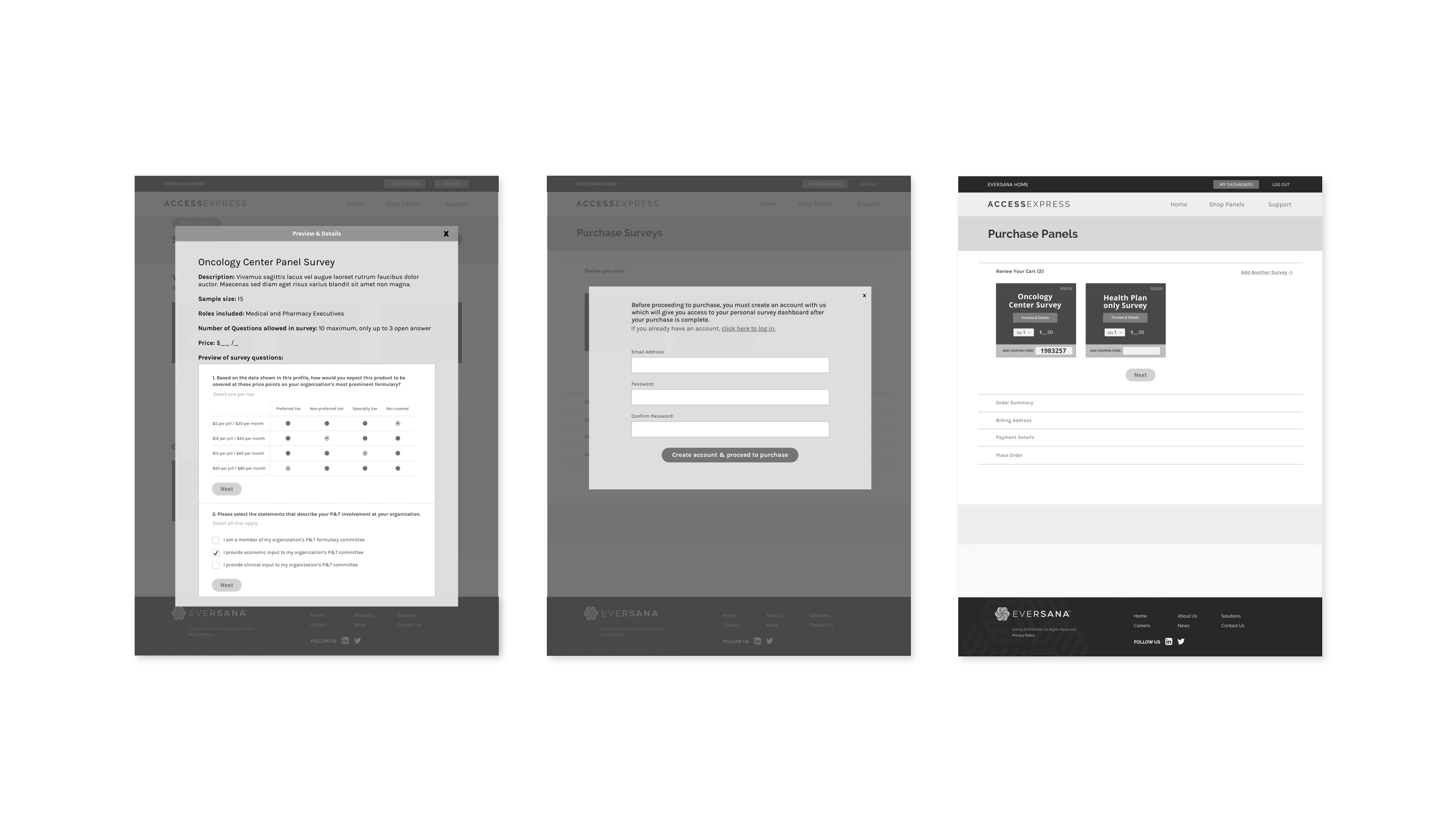
One solution we came up with was to build a questionnaire that users could fill out to receive curated recommendations based on their industry and research needs. From the recommendations screen, they are strategically led to the purchase phase then seamlessly to their personal dashboard and survey builder.


Another challenge was how to align the engagement section recommendations with the panel options and survey builder features. If a user did not go through the questionnaire, they could still preview and choose from all templates.
We worked with the product manager to develop a set of survey templates with themes and questions that aligned with the recommendations. Some of the template questions required use to determine where semi-editable fields were and what the options were. We also decided which questions had to be completely uneditable. The original blank survey option also had question types with semi-editable fields.


UI Design & Visual System
After the new strategy and critical UX problems were solved, we started the process for a new UI design and visual system for Access Express tool within Eversana branding. The system was to be used consistently across all of their digital products. We proposed four options. We came up with four visual directions for the client to consider.


